1-Year Warranty

30-day Refund*

Free Shipping*

Shop by Goal

Bestsellers

Customer Testimonials

Videos

As seen in...

Brand Story

Runmefit began with a simple idea: smart wellness should feel effortless. Founded in 2015, the brand builds smartwatches and fitness trackers designed to support healthier, more connected living through simple design, personalized insights, and technology that fits naturally into everyday life.


At Runmefit, we believe wearable technology should do more than track—it should understand, support, and fit naturally into everyday life. From performance-focused running watches to elegant everyday wearables and lightweight fitness bands, every product is built to help people move more confidently, live more healthfully, and stay more connected. With an app ecosystem that combines core tracking, cloud sync, and AI-powered insights, Runmefit is shaping a future where smart wellness feels simple, human, and within reach.

LEARN MORE

The Runmefit Blog

Key Takeaway

  • Aim for early afternoon naps (1–3 PM) to align with your body's natural energy dip.
  • Keep your naps between 10–30 minutes to avoid grogginess.
  • You don't have to fall fully asleep—resting quietly can still help.
  • Use tools like the Runmefit smartwatch to track and improve your nap habits.
  • Longer naps (60–90 minutes) can be helpful but may affect nighttime sleep.
  • Napping can boost your energy, improve focus, and help you feel more refreshed—if done right. Aim for early afternoon naps between 10 to 30 minutes for the best results.

What Is a Nap?

A nap is a short period of sleep taken during the day, typically lasting anywhere from 10 minutes to 90 minutes. 

Unlike a full night's sleep, naps are meant to provide a quick recharge—boosting alertness, mood, and mental clarity. People nap for different reasons: to make up for lost sleep, to improve concentration, or simply because their body feels the need to rest. While naps aren't a replacement for good nighttime sleep, they can be a helpful addition to your daily routine.

How Do Smartwatches Detect Naps?

Smartwatches like the Runmefit fitness tracker can automatically detect when you nap. They do this by tracking changes in your heart rate and movement. When your body stays still and your heart rate drops, the watch knows you might be asleep. It uses this data to log how long you napped and how restful it was, helping you see how naps affect your energy and sleep patterns.

If you have a Runmefit watch, managing naps is even easier. It not only detects naps, but also lets you set alarms just for naps. This is useful if you're trying to nap regularly during the day.

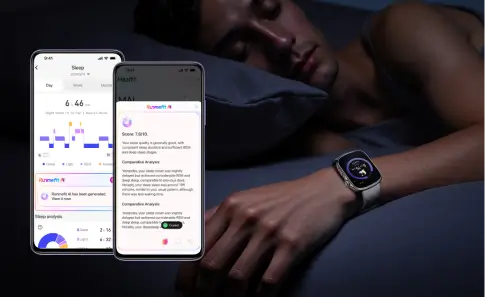
After recording your sleep throughout the day, the watch will give you a sleep report. You'll see how long you slept and details for your sleep stages and nap. The Runmefit app also uses AI to give you deeper insights. It shows how your nap fits into your overall sleep health and helps you build better habits.

Want to make the most of your nap with Runmefit? Here are a few tips:

  1. Before your nap, use the watch's timer or nap alarm feature to avoid oversleeping.
  2. Review your nap stats afterward to see how rested you really feel. Over time, you'll spot patterns and know what nap length suits you best.

What Are the Benefits of Naps?

A short nap can do wonders. It boosts your mood, clears your mind, and sharpens your memory. If you didn't sleep well at night, a nap can help you feel more alert during the day. It's like a mini reset for your brain.

Research shows that naps can enhance learning, reduce stress, and improve emotional regulation. For students, naps can help lock in new information. For workers, a quick rest can restore mental clarity and productivity. Even athletes use naps to recharge and recover between training sessions.

Plus, a nap can help balance your overall sleep needs. If you had a rough night or woke up early, a short nap fills in the gaps and keeps your energy stable through the day.

Do I Really Need a Nap?

Not everyone needs a nap every day. But if you feel constantly tired, have trouble concentrating, or find yourself yawning nonstop, your body might be telling you it needs rest. A nap can give your brain and body a short break to recharge.

Napping is especially useful on days when you're feeling stressed or didn't sleep well the night before. Instead of reaching for another coffee, take a short rest. It's more restorative and won't keep you up later like caffeine can.

Still, naps aren't for everyone. Some people function perfectly without them. The key is to listen to your body and figure out what works for you. Even just 10 minutes of rest can help some people feel more alert and refreshed.

When Should You Nap?

Your body has a natural dip in energy in the early afternoon, usually between 1 and 3 PM. This period is often called the "afternoon slump." It's when most people feel less alert and a bit sleepy. That's why it's considered the best time for a nap.

This dip in alertness is part of your circadian rhythm—the internal clock that controls your sleep and wake cycles. Taking a nap during this low-energy period helps you recharge without interfering with your nighttime sleep.

If you nap too late, especially in the early evening, it can make it harder to fall asleep at night. That's why timing is important. Stick to the early afternoon for the most benefit.

If you work from home or have a flexible job, the early afternoon window is your best chance to take a short nap. Even just 15 minutes can lift your mood and sharpen your focus. But if you're a shift worker or have an night owls, your ideal nap time might be different. The most important thing is to find a quiet, safe place to rest when you feel tired.

Do You Really Need to Fall Asleep During Your Nap?

Not necessarily. You can still get benefits from simply resting. Lying down in a quiet place with your eyes closed can help relax your mind and body, even if you don’t fully fall asleep.

These short breaks are sometimes called "restorative rests." During this time, even you didn't fall asleep, your heart rate slows, your breathing deepens, and your muscles relax. It gives your brain a pause, which can be just as valuable as sleep.

If you're wearing a smartwatch like Runmefit, it can track these restful periods. It may show that you entered light sleep, even if you didn’t feel like you did. Over time, this can help you see how consistent rest—whether it’s sleep or not—improves your energy levels.

How Long Should It Last?

The length of your nap affects what you get out of it. Here's a simple breakdown:

  • 10–20 minutes: Great for a quick boost. You'll feel more alert and focused without feeling groggy.
  • 30 minutes: You might wake up during a deeper sleep stage, which can leave you feeling foggy.
  • 60 minutes: Helps with memory and problem-solving, but you may feel disoriented when you wake up.
  • 90 minutes: A full sleep cycle. This improves creativity, emotional balance, and learning. You'll usually wake up feeling refreshed.

Shorter naps are like having a quick snack. They boost your energy fast. Longer naps are more like a full meal. They take more time but offer deeper recovery.

Napping Times for Different Age Groups

Not everyone needs the same amount of nap time. Here's a quick guide to average nap needs by age:

Age Group

Recommended Nap Duration

Notes

Infants (0–1 year)

2–4 naps, 30–120 mins

Essential for growth and brain development

Toddlers (1–3 years)

1–2 naps, 60–90 mins

Supports memory and behavior

Preschoolers (3–5)

1 nap, 45–60 mins

Still helpful but may start to fade

Kids (6–12 years)

Occasional, 30–45 mins

Usually only needed after poor sleep

Teens (13–17 years)

Optional, 20–30 mins

Useful for catching up on rest

Adults (18–64 years)

Optional, 10–30 mins

Ideal for boosting focus and mood

Seniors (65+)

Optional, 20–40 mins

Can support alertness and memory

Everyone is different. Some people nap daily, while others rarely do. Use these as a guideline and adjust based on how you feel. If you're not sure what works best, tools like the Runmefit smartwatch can help you spot your natural rhythms and ideal nap length.

What Are the Drawbacks of Napping?

Naps can be refreshing, but they aren't always helpful. Naps can backfire if you overdo them and even mess up your night sleep. Also, needing naps too often might be a sign that your nighttime sleep isn't good enough.

What If It's Too Short?

If your nap is too short, it might not seem helpful. Some people need more time to get real benefits. 

However, even a 10-minute rest can improve focus and mood, especially in a quiet, relaxing space. If you're using a Runmefit smartwatch, it can help you detect when your nap time and figure out if shorter naps work for you or if you need a bit longer.

What If It's Too Long?

Napping too long, especially over 90 minutes, can lead to something called sleep inertia. This happens when you wake up from deep sleep and your brain feels foggy. Long or late naps can also make it harder to fall asleep at night. 

To avoid this, keep your nap between 10 and 30 minutes and try to nap in the early afternoon. A Runmefit watch can help you stick to this window by setting alarms and tracking how different nap lengths affect your energy.

If you frequently feel like taking naps during the day, it might be a signal poor nighttime sleep or insufficient deep sleep at night. You can start tracking your full sleep habits at night witha sleep tarcker like Runmeift WATCH 4. It can track both night and day sleep to give you a clear picture of your rest patterns, and you can track your long-term sleep trends.

What Affects Your Nap?

Several things can mess with your nap quality:

  • Bright lights or noise
  • Room too hot or too cold
  • Caffeine too close to nap time
  • Stress or racing thoughts

Your environment plays a huge role. Try napping in a quiet, dim space. If that's not possible, earplugs, an eye mask, or white noise can help.

Runmefit users can benefit from tracking nap trends in the app. If you often wake up feeling groggy, check the sleep quality graph. You might find that room temperature or noise affected your rest more than you thought.

Tips for the Perfect Power Nap

  1. Nap in early afternoon.
  2. Keep it short: 10–30 minutes is ideal.
  3. Make your space quiet and dark.
  4. Use a sleep mask or white noise if needed.
  5. Set an alarm to avoid oversleeping.
  6. Wind down with deep breaths or calm music before you nap.

If you have a Runmefit smartwatch, let it guide you. Check your stats, find your ideal nap window, and track what works best. Also, create a nap routine. Just like bedtime habits, a few small rituals can cue your body that it's time to rest. Maybe that's turning off your phone, sipping water, or closing your eyes with gentle music.

Remember: naps aren't about laziness. They're a smart way to manage your energy and take better care of your mind and body.

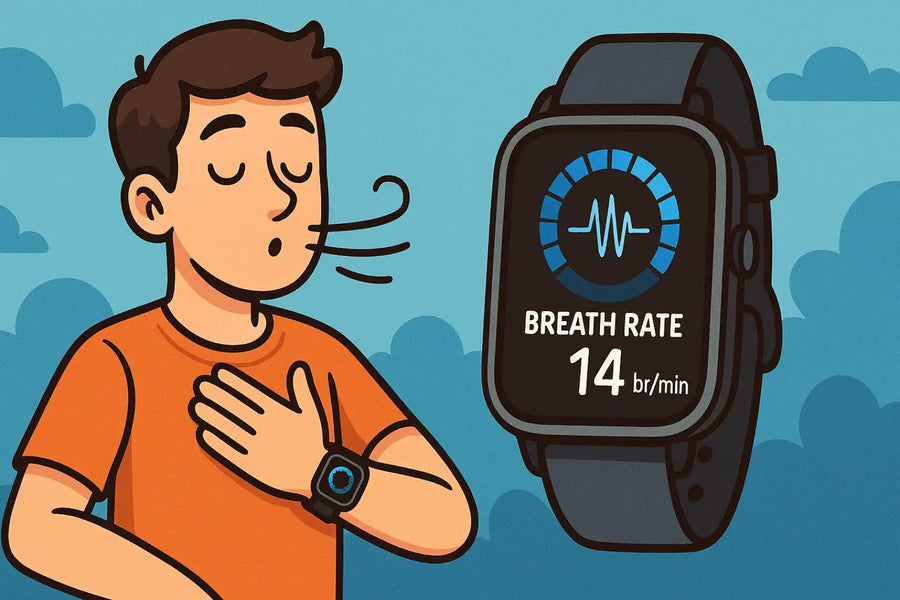
When you think about smartwatches, data like steps, calories, heart rate, bloog oxygen level, and sleep might come to mind. But there's one important metric that doesn't get much attention: breath rate, also called respiratory rate or reapiratory frequency. 

This is a lesser-known metric, but it can tell a lot about how your body is doing. So, what is it, and why should you care? This blog help you understand what breath rate is, how smartwatches measure it, why it's important, and what normal rates look like.

What Breath Rate Is

Breath rate, or respiratory rate (simply RR), is a vital sign along with heart rate, blood pressure, and body temperature. It refers to the number of breaths you take per minute. While it might not be something you think about every day, this number is a key indicator of your respiratory health and overall well-being. For example, changes in your average respiratory rate for adults can signal stress, illness, or even issues with your heart or lungs.

With the advent of smartwatches, monitoring this metric has become more accessible. Smartwatches with this feature measure how many times you breathe in a minute, providing real-time data about your respiratory health.

What Is Breath Rate in Smartwatches?

On smartwatches, it’s usually tracked during sleep or rest periods. It might show up under names like breathing frequency or respiratory reading.

Modern smartwatches, like Runmefit WATCH 4, have sensors that can track your breath rate throughout the day and night. They use technologies like photoplethysmography (PPG) to detect changes in blood volume, which correlate with your breathing patterns. This allows for continuous monitoring without the need for bulky equipment.

How to Measure Your Breath Rate

Understanding your breath rate doesn't require fancy tech—you can start with a simple manual check. It's a great baseline to know before diving into how smartwatches do it automatically:

  1. Sit or lie down and relax.
  2. Set a timer for 1 minute.
  3. Count how many times your chest rises (one rise equals one breath).
  4. The total number of breaths is your breath rate.

If you're short on time, you can count for 30 seconds and then multiply by two. Just make sure to do this when you're calm—like before bed or while resting—not right after any physical activity.

It's a simple method, but it gives you a solid idea of your breathing frequency, especially if you want to track it regularly without any tech.

How Smartwatches Track Breath Rate

You don't need to do anything special to track your breath rate with a smartwatch. Most smartwatches do this on their own. They use light sensors to check small changes in your blood flow. These sensors are often called PPG or photoplethysmography.

Some watches also look at your heart rate changes and how much you move. This helps them see your breathing pattern. It sounds complex, but for you, you just need to wear your watch while you rest or sleep, and it takes care of the rest.


If you're using a Runmefit GTR3 AMOLED smartwatch, breath rate tracking is built right in. It capture your breathing data with precision, even during workouts or sleep. Once the data is collected, it's displayed in the Runmefit App. You can see how your breath rate changes throughout the day, after workouts, or while you're resting.

Why Breath Rate Monitoring Matters

Here's the big question: why should you care? Your breath rate changes depending on your activity, stress level, and overall health. If it suddenly spikes while you're resting, that could be a sign of illness, dehydration, orevenanxiety. If it's unusually low, that might hint at issues like sleep apnea or the effects of medication.

Benefits of Breath Rate Tracking in Smartwatches


Keeping an eye on your breath rate isn't just for athletes or people with medical conditions. It’s helpful for anyone. Here's why:

  • Detect Early Signs of Illness: A sudden rise in your RR rate could be an early warning sign. It might mean your body is fighting an infection or dealing with a fever.
  • Understand Your Stress Levels: When you're stressed, your breathing changes. A fast or uneven breath rate can help you notice when you're feeling tense.
  • See How You Recover: After exercise or being sick, your body needs time to heal. Your breath rate can show if you're recovering well or still need rest.
  • Measure Workout Impact: Checking your breath rate after exercise can help you know if you're training too hard or just right.
  • Track Sleep Response: While you sleep, a slow and steady breath rate can show that you're getting good rest.

Smartwatches like those from Runmefit make this easy. They automatically log your breath rate and show trends over time, so you don't have to guess.

Easy Breathing Exercises with Your Smartwatch

Many smartwatches, like Runmefit watches, have built-in breathing exercise or meditation tools. These tools help you slow down and relax. They guide you to breathe in and out with simple steps. Some watches use gentle vibrations or visual timers to keep you on track.

You can use these features anytime. They are great when you feel stressed, before bed, or during a break. Most sessions last just a few minutes. They help calm your mind and improve your focus.

Using these tools often can help lower your breath rate. They also help you feel more in control of your body and mood.

What Is a Normal Breath Rate?

For healthy adults at rest, the average respiratory rate ranges from 12 to 20 breaths per minute at rest and can be around 40-50 times per minute during intense physical activity. Factors like age, fitness level, overall health and even the time of day can influence this rate. 

What matters most is under standing your personal "normal." If your average breath rate starts creeping outside your normal range, it's worth paying attention.

How to Read Breath Rate on Runmefit Watches

Runmefit watches display your breath rate numerically directly on the screen and in the Runmefit App. You can view real-time data and historical trends, making it easy to track changes over time. The user-friendly interface helps you understand your readings without needing a medical background.

If you see a consistent number outside the average respiratory rate for adults, it might be worth checking in with a doctor.

What Causes High Breath Rate?

When your breath rate goes up, it usually means your body needs more oxygen. This often happens when your body is trying to make more energy through aerobic activity. There are a few common reasons for this:

  • You might feel hot or uncomfortable, which can make you breathe more.
  • You might feel nervous or tense. This can change how you breathe.
  • You might have just finished a tough workout. After that, your body needs more oxygen.
  • You might be moving around a lot or doing something active, which can increase your breathing.

* If your RR rate stays high for several nights and you haven't been exercising, it could be your body's way of saying something's off.

What Causes Low Breath Rate?

People who are fit often have a lower breath rate. They also return to a low breath rate faster after they exercise. A low breath rate can also happen if:

  • You might be in a deep sleep, which slows your breathing.
  • You might feel very calm or peaceful.
  • You might have good physical fitness, which can lower your breath rate naturally.

* If it drops too low and you feel tired or dizzy, it could be a sign of a problem.

Final Thoughts

With a Runmefit smartwatch, you can easily keep an eye on your respiratory health. The data is there when you need it, understanding your respiratory frequency has never been simpler. So next time you glance at your health stats, don't skip over that "RR" number—it could be more important than you think.

Whether you're a fitness enthusiast, a stress manager, or just want to sleep better, monitoring your breathing rate can be a simple habit to help you feel your best.

Breathe in. Breathe out. Check your watch. You might be surprised at what you learn.

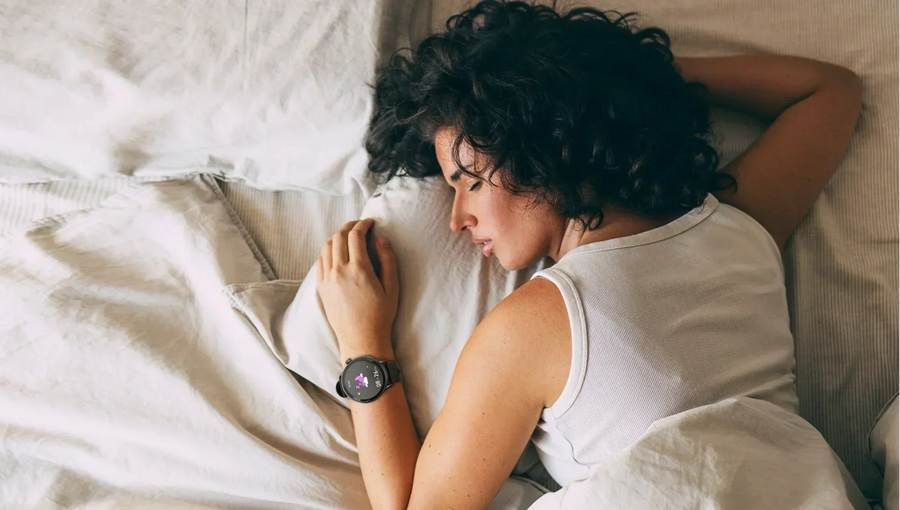
If you've ever worn a smartwatch to bed and woke up to a detailed report of your night, you might've wondered—how does this thing actually know I was asleep? Smartwatches seem almost magical, quietly monitoring your rest without a single beep. But behind that silent tracking is some clever technology.

What Triggers Sleep Detection on a Smartwatch?

At the core, smartwatches look for one big clue: stillness. When you stop moving for an extended period—especially during typical sleeping hours—your watch assumes you're heading into sleep mode. But it's not just about lying still. Most modern smartwatches also monitor your heart rate, skin temperature, and even oxygen levels to confirm you're truly asleep.

Movement

Smartwatches have built-in motion sensors like accelerometers and gyroscopes. These detect how much and how often you move. When you're tossing and turning, your watch knows you're restless. When you're still, especially for a while, it's a good sign you're asleep—or at least trying to be.

Heart Rate and Wrist Temperature

Your heart rate slows down when you fall asleep. So, a drop in your resting heart rate can signal to your watch that you've moved from wakefulness to sleep. Some models also track wrist temperature, which tends to fluctuate differently when you're sleeping.

When Tracking Usually Starts

Many smartwatches don't wait for you to press a “sleep” button. Instead, they rely on timing and behavior. If you usually go to bed at 10 p.m., your watch starts watching more closely around then. It looks for a combo of stillness and lower heart rate to trigger sleep mode.

How Do Smartwatches Track Sleep Cycles?

Once your smartwatch thinks you're asleep, the next step is tracking what kind of sleep you're getting. Light sleep, deep sleep, and REM—all those stages your brain goes through are estimated using physical signals your body gives off.

The Role of Sensors

Smartwatches use accelerometers to track movement and optical sensors to monitor your heart rate. Some advanced models even include pulse oximeters (to measure blood oxygen) and thermometers. These sensors work together to create a picture of your rest.

Heart Rate Variability (HRV)

One of the most helpful data points is heart rate variability. HRV is the variation in time between each heartbeat. During deep sleep, HRV tends to be higher. During REM sleep, it can fluctuate more. Smartwatches use this to make an educated guess about your sleep stages.

Data Patterns Smartwatches Look For

Your watch looks for patterns—like steady movement slowing down, heart rate dipping, then cycling through highs and lows. This helps estimate when you're in light sleep (easy to wake), deep sleep (hard to wake), or REM (when dreams happen).

How Do Smartwatches Know What Sleep Phase You're In?

This is where things get really interesting. Sleep isn't just on or off—it comes in waves. And smartwatches try to track those waves as best they can.

Main Sleep Stages to Know

Sleep has four main stages:

  • Stage 1 (Light Sleep): The transition phase—you're just starting to drift off.
  • Stage 2 (Deeper Light Sleep): Your body starts relaxing more deeply.
  • Stage 3 (Deep Sleep): The most restorative stage. You rarely move here.
  • REM Sleep: Where most dreaming happens. Brain activity increases, but your body stays still.

How Algorithms Estimate Sleep Phases

Without brainwave sensors (like in lab sleep studies), smartwatches can't directly measure sleep phases. Instead, they use algorithms. These compare your sensor data to typical patterns seen in each sleep stage. For example, if your movement stops and your heart rate dips, the watch may log that as deep sleep.

How Accurate Are Smartwatches for Sleep Tracking?

Most people wonder—can I actually trust this thing on my wrist? It's a fair question. Sleep feels like such a private, internal process that it's hard to believe a device on your wrist could track it accurately. But for everyday users, smartwatches do a pretty decent job. They may not be lab-grade, but they offer helpful insights into how well you're sleeping and what might be throwing things off. Here's what they do well, where they miss the mark, and how you can get the most out of the sleep data they provide.

What They Get Right

Smartwatches are pretty solid when it comes to tracking:

  • When you fall asleep
  • When you wake up
  • How often you're restless
  • Total sleep time

If your goal is to spot trends—like whether you're consistently sleeping 6 hours or 8—your smartwatch can offer a reliable snapshot.

Where They Fall Short

Sleep stages are trickier. Your watch is making an educated guess based on your physical signals, like movements and heart data, not your brain activity.

So, the breakdown between REM and deep sleep might be off. REM sleep could be misjudged if your heart rate or movement patterns are unusual. Deep sleep might be overestimated or missed entirely if you lie very still while awake.

So while the stage breakdown might not be exact, the overall sleep quality trends are still useful.

Limitations Without Brainwave Data

In a sleep lab, technicians use EEG machines to monitor your brainwaves. That's the gold standard for identifying sleep stages. Since smartwatches can't do this, they can only rely on external signals to estimate your sleep data. This makes them great for general guidance—but not for medical diagnoses or pinpoint accuracy.

Think of it this way: your smartwatch gives you the bird's-eye view, not the microscope.

External Factors That Confuse Tracking

Sometimes, your watch can get it wrong. Common issues include:

  • Lying still while awake: If you're resting in bed watching a show or reading, your watch might think you're asleep.
  • Moving during dreams: REM sleep can involve muscle twitches or small movements, which might be mistaken for restlessness or waking.
  • Wearing it loosely: A loose fit can mess with sensor accuracy, especially heart rate readings.
  • Incorrect hand positioning: Wearing the watch too high or with sensors not flush against the skin can cause tracking errors.

These aren't deal-breakers, but they're worth keeping in mind. For best results, wear the watch snugly on your non-dominant wrist and follow the manufacturer's setup tips.

Should You Trust Your Smartwatch's Sleep Data?

It depends on what you're using it for. While the nightly data can sometimes vary, smartwatches are great for spotting long-term trends. If you're trying to build better sleep habits, they can help you see whether you're going to bed and waking up at consistent times, getting enough total rest, or waking up frequently during the night. 

You can also use your watch to experiment with small changes—like cutting screen time before bed or avoiding late-night caffeine—and see how those adjustments reflect in your weekly sleep score. Over time, these patterns become more valuable than any one night's report.

Tools That Help You Sleep Better

Modern smartwatches don't just track your sleep—they also aim to help you sleep better. Many include smart alarms that try to wake you during your lightest sleep stage, making it easier to start the day without grogginess. 

Devices like the Runmefit fitness tracker go a step further with AI-powered sleep analysis. After pairing with the Runmefit app, the tracker uses its AI-powered sleep analysis to offer personalized suggestions based on your nightly patterns. 

It might recommend going to bed earlier, adjusting your wake time, or encouraging more movement during the day—all tailored to how you actually sleep. The app focuses on actionable insights to help you form healthier sleep habits over time, all without overwhelming you with too much data.

Final Thoughts

Smartwatches are surprisingly good at spotting when you're asleep and giving you a rough picture of how your night went. They won't replace a sleep lab, but they don't need to. For everyday folks looking to sleep better and feel more rested, they're one of the easiest tools around.

And if you're in the market for a user-friendly option, Runmefit's smartwatches and fitness trackers are worth checking out. They're simple, reliable, and packed with features that make tracking your sleep feel like second nature.